A good call rarely fails for lack of effort. It fails because the person on it does not remember what the customer said last time, freezes when an objection lands, or forgets to confirm the one thing that was promised three calls ago. Cypher M, the meeting copilot in your Cypher LM dashboard, is built around that exact failure mode.
Before a call, Cypher M reads everything that contact has done with your business, not just one conversation, and turns it into a short brief: what they want, what is still open, what was promised, and a suggested opening line. During the call, it listens (with your permission, through a shared browser tab, a joined meeting, or your microphone) and offers short suggestions you can use or ignore. Afterward, it hands the transcript to the notes and follow-up tools so nothing has to be retyped.
This guide walks through all three stages in order: preparing with the brief, choosing how Cypher M listens, and using suggestions on the call without sounding like you are reading from a card. It also covers writing playbooks, which is the single most valuable thing a manager can do for a growing team, what happens once you end a session, and the etiquette of telling people a copilot is present. Copy the templates as they are and adjust the wording to your business. For the note-taking side of this same conversation, see Meeting notes and follow-ups with Cypher N.
01
Preparing with the brief
Open Copilot in your dashboard and pick a contact, or let Cypher M prefill one from the Contacts drawer or your calendar. The brief it builds is not limited to one call: it draws on everything that caller has done across your AI agents, your website chat, and their bookings, and condenses it into a handful of short sections so you can read it in under a minute before you ever pick up the phone.
What the brief contains
- What they want — a plain-language line describing the goal behind their contact, written from their own words where possible.
- So far — a short history of the relationship, in case this is not the first time they have reached out.
- Open items — questions nobody has answered yet.
- Concerns — objections or hesitations they have already raised, so you do not repeat a pitch they have already rejected.
- Promises made — anything your agent, a past call, or a teammate committed to, so you never contradict your own business.
- Suggested opening — one line you can say or adapt in the first ten seconds of the call.
- Next steps — what was supposed to happen after the last contact, if anything.
Each of these only appears when there is something to show; an empty section is left out rather than padded with filler. If the contact has never spoken to your AI agent, Cypher M says plainly that there is nothing to brief on yet, and that suggestions during the call will still use your playbooks and business details, just not call history.
Reading the brief in under a minute
Read bottom to top the first time: start with Next steps, because that tells you why this call exists, then Promises made, because breaking one is the fastest way to lose trust, then Concerns, then the rest. The Suggested opening is meant to be adapted, not read verbatim — swap in the caller's name and drop any phrase that does not sound like you. Treat it the way you would treat a colleague's handover note before covering their desk for the day: useful context, not a transcript to perform.
Onboarding Cypher M from your calendar
If a meeting is already on your Cypher LM dashboard calendar, open the event and use Onboard Cypher M. It builds the same brief from that contact's calls, and when your Google account is connected with read access to Gmail, it also reads your recent email exchange with them and folds relevant context in. The finished brief is emailed to you as well as shown in the dashboard, so it is in your inbox even if you open the invite from your phone on the way into the meeting.
This matters most for meetings booked days or weeks in advance, where the call history has moved on since the appointment was set. A prospect who booked a demo two weeks ago may have emailed twice since then with new questions; onboarding Cypher M from the calendar catches that instead of leaving you to brief yourself from a two-week-old memory of the original booking call.
Calls with no history yet
Starting a session with someone new — a contact your AI agent has never spoken with — is still worthwhile. There is no brief to read, but suggestions on the call still draw on your playbooks and business details, so a brand-new conversation still gets the benefit of your team's accumulated guidance on how to handle common questions and objections, even with no personal history behind it.
A 12-chair dental clinic
The office manager books a callback with a patient who asked about a payment plan three weeks ago, then got busy and never called back. Onboarding Cypher M from the calendar event pulls up the original request, the clinic's reply by email about financing options, and a note that the patient still has an outstanding question about insurance coverage. The brief arrives by email the morning of the call, so the manager reads it over coffee instead of scrambling five minutes before dialing.
A two-person recruiting agency
A recruiter has back-to-back candidate calls all morning and no time between them to review notes. Each call is briefed automatically from that candidate's last conversation with the agency's AI agent, so by the time the recruiter dials, they already know the candidate's stated salary range and the one role they said they were not interested in — without having to dig through an inbox between calls to find it.
Before you pick up the phone
- Open the brief and read Next steps and Promises made first
- Refresh the brief if the contact called in the last hour
- Note the suggested opening, but say it in your own words
- Check Concerns so you do not repeat an objection they already raised
- Decide how Cypher M will listen before you dial (see the next section)
A brief is only as useful as the habit of reading it. Teams that treat Start session as a reflex before every callback see fewer repeated questions and fewer broken promises within the first few weeks, because the person on the call is no longer relying on memory for details that were written down somewhere else. It is a small habit with an outsized return: the five minutes it takes to read a brief is almost always less than the cost of re-asking a customer something they already told your business once.
02
Choosing how Cypher M listens
Cypher M needs to hear the call to suggest anything, and it offers more than one way to do that because meetings happen in more than one shape. When you press Start session, the dialog asks How should Cypher M listen? and remembers whichever option you pick most often if you tick the box for it.
Share this tab
Share your Google Meet tab with the browser's screen-sharing picker and keep tab audio switched on. Cypher M hears both sides: your microphone and the shared tab's audio become two channels, so it can tell your side from the caller's side without guessing. Nobody else in the meeting sees anything join; from their perspective the call looks exactly as it always has. This is the default option and works for any Google Meet call from a desktop browser, and it needs nothing from the other participants at all.
Invite Cypher M to the meeting
Where this option is turned on for your workspace, Cypher M joins the Google Meet itself as a guest, using Meet's own live captions to produce an exact, speaker-labelled transcript — no one has to share a tab, and the hints can show up inside Meet with the companion browser extension. Someone in the meeting has to let it in from the waiting room (the extension can do this automatically). If this option is not yet available on your workspace, the dialog says so and keeps you on Share this tab until it is.
This option is worth the extra setup for meetings with several attendees, where sharing a single tab from one laptop is awkward, or for anyone who would rather not have a screen-sharing prompt interrupt the start of a call.
Microphone only
For an in-person meeting, a phone call on speaker, or any call that is not happening in a browser tab, use your device's microphone. Speech is turned into text by your browser's built-in speech service (Chrome, Edge and Safari on a computer all support this; Firefox does not, and the dialog tells you so up front). If your browser cannot do this, you can still type what the customer says into a box and get suggestions from that — useful as a fallback rather than a first choice, and it means a session is never a dead end even on an unsupported browser.
Before you choose
- Pick Share this tab or Invite Cypher M for anything on Google Meet; pick the microphone for everything else.
- Tick Remember my choice once you know which option your team actually uses, so the dialog defaults to it next time.
- Choose the call's language — English, Urdu, or a mixed mode that listens in English while still catching Roman-Urdu words typed or spoken in Latin letters.
| Situation | Best way to listen |
|---|---|
| Google Meet video call | Share this tab (or Invite Cypher M where available) |
| In-person meeting or speakerphone call | Microphone |
| Call on a headset with no screen to share | Microphone |
| Teammate new to Cypher M, wants minimal setup | Microphone — nothing to configure |
| Several attendees on one shared screen | Invite Cypher M, where available, rather than sharing a tab |
Common setup mistakes
The most common reason a session reports no sound is sharing the wrong thing: a browser window or the whole screen instead of the specific Meet tab, or forgetting to switch on "also share tab audio" in the sharing prompt. If a session says it is not hearing anything, stop sharing and start again, this time double-checking that the Meet tab itself is selected and tab audio is switched on. A denied microphone permission shows its own clear message rather than failing silently — if it happens, allow the microphone for the site from your browser's address bar and start listening again.
Whichever option you pick, the choice only affects how Cypher M hears the call. Your team still decides what to say; nothing is said on your behalf, and the person on the other end of the call never hears Cypher M at all, no matter which listening method is in use.
03
Using suggestions without sounding scripted
During the call, what is said appears as text in the transcript panel, and short suggestion cards appear next to it: an answer to a question, a next step, help with an objection, or a reminder. Each one is labelled by kind, and you choose to Use it, copy it, or Dismiss it — Cypher M never says anything out loud and never takes over the conversation at any point.
Reading a suggestion before you use it
Treat every suggestion as a draft, not a script. The fastest way to sound scripted is to read a suggestion word for word in a voice that does not match how you normally talk. Instead, read it for the idea, then say it the way you would say it to this particular person. A suggestion that says "Confirm the appointment is still for Thursday at 2pm and ask if they need a reminder call" becomes, in your voice, "So we're still good for Thursday at two — want me to give you a ring the day before?" The words change; the substance does not.
Keyboard shortcuts for a steady pace
Cypher M's session page supports keys so you never have to reach for the mouse mid-sentence: one key toggles the microphone, one uses the newest suggestion, one dismisses it, and one forces a fresh suggestion when you want help right now rather than waiting. Learning these four shortcuts is worth doing in your first week, because reaching for a mouse while someone is talking is the single most common reason people say the suggestions feel disruptive rather than helpful.
Working in a mixed language
If your business takes calls in both English and Urdu, the mixed-language mode listens in English while still catching Roman-Urdu words typed or spoken in Latin letters, so you are not forced to pick one language and lose fluency in the other mid-conversation. Suggestions themselves still come through in whichever language your playbooks are written in, so write playbook guidance in the language your team will actually want to read on the call, not necessarily the language the caller speaks.
When suggestions do not help
Dismiss anything irrelevant without a second thought — dismissing is not a failure, it is normal, and it teaches Cypher M nothing to be embarrassed about. If nothing useful is appearing and you know the moment calls for help, press the suggest-now shortcut rather than waiting for the automatic one. If suggestions stop appearing altogether and the panel shows an error, keep talking: a transient failure is temporary and Cypher M tries again on its own; your side of the call is never interrupted by it.
The two situations suggestions are built for
Suggestions lean on your playbooks (covered next) and the call's brief, so they are strongest in two situations: answering something the caller has asked before (because it is in their concerns or history) and handling an objection your team hears often (because it is in a playbook). They are weakest in a genuinely new situation nobody has written guidance for yet — which is a signal to go write that playbook once the call ends, not a reason to stop using the tool for the rest of the conversation.
Using a suggestion naturally
During the call
- Read each suggestion for the idea, then say it your way
- Dismiss anything irrelevant immediately — it costs nothing
- Use the suggest-now shortcut when you want help right now
- Keep talking if suggestions pause; the call itself is never interrupted
- Confirm anything the brief flagged as a promise before you hang up
Put this guide to work
Build it in your own account
Start a 7-day free trial with every Cypher LM product included, or book a demo and we will walk you through it on a live call.
04
Writing playbooks
A playbook is a short, reusable piece of guidance that tells Cypher M what to suggest in a specific, recurring situation. Open Copilot → Playbooks to see what is on, what is off, and to add your own. Each playbook has three parts: a name, When to use it (the situation, described in plain language, like "the caller says it's too expensive"), and What to suggest (your actual instructions — what to say, what to ask, and what never to promise, including real prices or policies if you want Cypher M to use them accurately).
Only playbooks that are switched on are used during a call, so turning one off is a safe way to retire guidance that stopped being relevant without deleting it outright. A handful of starter playbooks are included to get you going; everything else is written by your team as you learn what actually comes up.
Writing guidance that actually helps
The best playbooks are specific about the situation and specific about the response. "Be helpful about pricing" tells Cypher M almost nothing useful; "If the caller says the price is too high, ask what budget they had in mind before offering any discount, and never go below the published rate without manager approval" gives it something concrete to draw from. Include exact numbers, policy wording and anything your team would otherwise have to look up, because a playbook with real figures produces a more useful suggestion than one that gestures vaguely at "our pricing."
A playbook template
Playbook template
Four playbooks worth writing early
| Meeting type | Playbook focus |
|---|---|
| Discovery call with a new prospect | Questions to ask before pitching anything; what disqualifies a bad fit early |
| Product demo | Answers to the three questions you get asked every time; how to handle "can it do X" |
| Support escalation | De-escalation language; what you can offer without approval; when to hand off |
| Renewal or win-back conversation | How to respond to "we're thinking of switching"; retention offers and their limits |
Who should write playbooks
In most small teams, whoever has taken the most calls of a given type should write that playbook, because they already know the real objections and the real answers — writing it down is the only step left. In a larger team, a manager reviewing the Suggestions library (below) is often better placed to spot patterns across many calls that any single rep would not see on their own. Either way, a playbook written by someone who has actually handled the situation reads more naturally than one written in the abstract.
Editing a playbook over time
Playbooks are not meant to be written once and left alone. As your pricing changes, your policies update, or you learn a better way to handle a common objection, go back into Copilot → Playbooks and edit the existing entry rather than creating a near-duplicate — a workspace with five playbooks that each cover "pricing objections" slightly differently produces inconsistent suggestions and is harder for a new hire to learn from than one well-maintained playbook per situation.
Keeping playbooks current
Open Copilot → Suggestions library regularly. It groups every suggestion your team has actually used by playbook, shows how often each one was accepted versus shown, and surfaces guidance your team leans on the most. A playbook whose suggestions are rarely used is either badly worded or addressing a situation that does not come up — either way, it is worth revisiting. A playbook whose suggestions are used constantly is a strong candidate for turning into a written answer in your knowledge base too, so your AI agent gives the same answer when a human is not on the call.
Writing a new playbook
- Name it after the exact situation, in words a caller would actually use
- Describe "when to use it" with a real quoted phrase, not a category
- Include real prices, policies or numbers if you want them suggested accurately
- Spell out what should never be promised without approval
- Switch it on, then check the Suggestions library after a week of real use
05
After the meeting: notes and follow-ups
What happens when you end the session
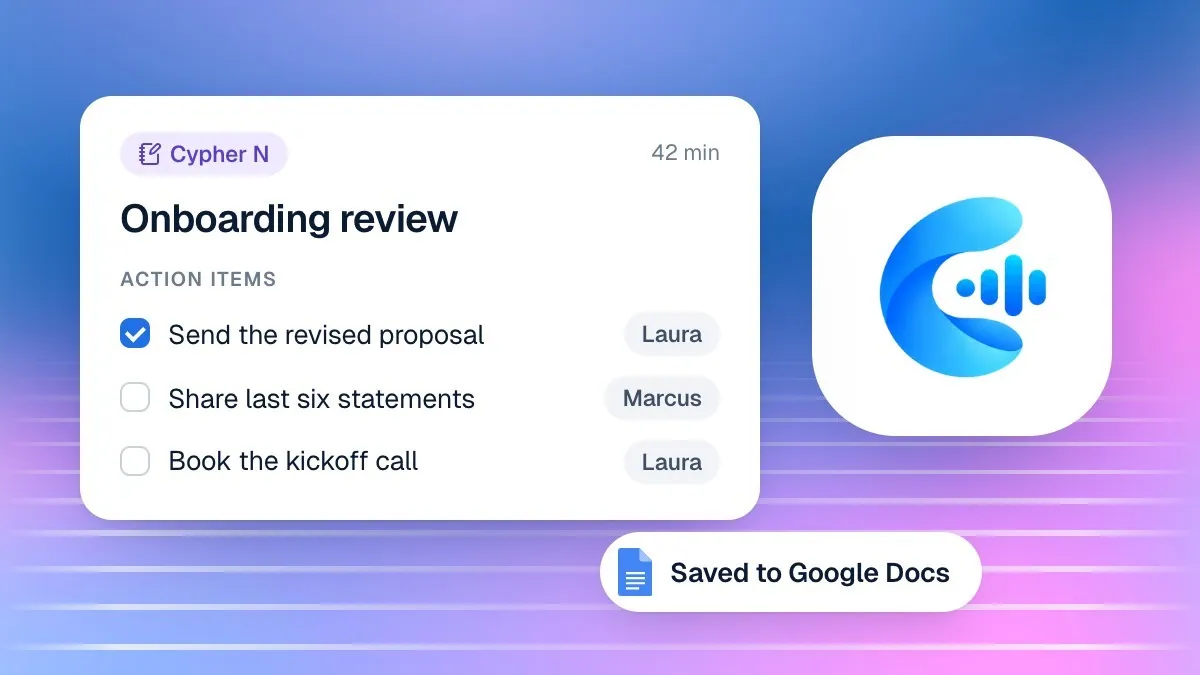
Pressing End session stops the microphone and asks Cypher M to write a summary with action items, saved against the contact automatically. If Google Docs or Sheets is connected with the right access, the meeting's full notes are filed as their own Google Doc and the call is logged to your workspace spreadsheet; if Google is not connected yet, the dialog you used to start the session will have reminded you that notes cannot be filed until it is. If the summary cannot be written the moment you end — a temporary hiccup — ending the session again retries it, so you are never left with a session stuck half-finished.
Where action items go next
Action items flow straight into Automations → Follow-ups, where they sit until marked done or sent as a reminder to the customer, labelled by who owns them: items your team promised, and items the customer promised. For the deeper mechanics of what a good set of notes contains, how the two are kept in step, and how follow-ups actually get sent, see Meeting notes and follow-ups with Cypher N — Cypher M and Cypher N share the same transcript and notes pipeline, so nothing has to be copied between them by hand.
Reviewing your own sessions
Copilot → Sessions lists every call, live or ended, with how many suggestions were shown and how many your team actually used. This is worth a periodic look on its own, separate from the Suggestions library: a session with suggestions shown but none used is worth re-reading, since it might mean the playbook guiding that call needs a rewrite, or it might simply mean the call went in a direction nothing had prepared for yet.
A short worked example
A small accounting firm
An accountant ends a Copilot session after confirming a client's tax filing deadline and a request for an updated engagement letter. The session summary captures both items — one owned by the firm (send the engagement letter) and one owned by the client (send the signed form back) — and both appear in Follow-ups within moments of the call ending. The firm's side gets a reminder in tomorrow's digest; a reminder to the client is sent only once the accountant chooses to, a day later, when it has not yet arrived.
Closing out a session properly
- End the session rather than leaving it running after the call finishes
- Check the summary and action items before relying on them for anything
- Confirm Google is connected if you expect a Doc and Sheet row to appear
- Glance at Sessions occasionally to see which suggestions actually get used
06
Coaching new team members and consent etiquette
Coaching new team members
The Suggestions library doubles as a training tool. A new hire can read what the rest of the team actually said and had accepted on real calls, grouped by situation, which teaches your business's real answers faster than a written manual ever will. Pair this with a short shadowing period: have the new hire sit in on a few calls where an experienced teammate uses suggestions visibly, then switch roles once they are comfortable reading a brief and choosing how to listen.
Coaching a new hire in their first two weeks
- Walk through one full session together: brief, listening choice, suggestions, ending
- Have them read the Suggestions library for the two or three playbooks they will use most
- Let them lean on suggestions heavily for the first week rather than improvising
- Review their ended sessions together and discuss which suggestions they skipped and why
- Have them write or revise one playbook themselves once they know the common objections
Why this beats a static training manual
A manual goes stale the moment your pricing or policies change; the Suggestions library updates itself with every call, because it is built from what your own team actually said and what actually got used. A new hire reading it six months from now sees current answers, not whatever was true when the manual was last edited. That alone is reason enough to treat the library as a living reference rather than a one-time onboarding step.
Privacy and consent etiquette
Any time Cypher M is listening to a call — through a shared tab, a joined meeting, or a microphone — someone other than the person on the other end of the line knows the conversation is being transcribed. Treat telling them as a basic courtesy, not a legal footnote to bury in fine print. A short, direct line at the start of the call takes five seconds and avoids an awkward conversation later if someone notices a name has joined the meeting or wonders why you seem to be reading something.
Consent line at the start of a call
If Cypher M joins a Google Meet as a guest, its name is visible in the participant list, which is itself a form of disclosure — but say something anyway, since not everyone reads a participant list closely during a conversation. If you are only using the microphone on an in-person meeting or phone call, where nothing visibly joins, saying so out loud matters more, not less, because there is no visual cue at all.
Setting expectations as a manager
Make the consent line part of your team's standard opening, the same way you would standardise a greeting or a sign-off, rather than leaving it to each person's judgment call by call. Consistency here protects the business as much as it reassures the caller: a team that always discloses never has to explain, after the fact, why one particular call did not.
Meeting hygiene before you hang up
- Told the other person a note-taking assistant or copilot is in use
- Confirmed anything the brief flagged as a prior promise
- Ended the session rather than leaving it running after the call finishes
- Checked the summary and action items before relying on them for a follow-up
- Noted anything that deserves a new or revised playbook
Recap and what to do next
Cypher M works in three stages: a brief built from everything a contact has done with your business, live suggestions you choose to use or skip, and a summary with action items once you end the session. None of it replaces your team's judgment — it removes the parts of a call that depend on memory, so judgment is all that is left to apply.
- Start a session before your next callback and read the brief before you dial.
- Pick how Cypher M should listen based on where the meeting is happening.
- Write one playbook this week for the objection or question your team hears most often.
- Tell people a note-taking assistant is present before the next call you take.
- Check the Suggestions library at the end of the month and revise whichever playbook is used the least.
Once notes and follow-ups are flowing out of every ended session, the next place to look is scheduling on the call with Cypher S, so a callback that ends in "let's book a time" does not need a second tool to finish the job.