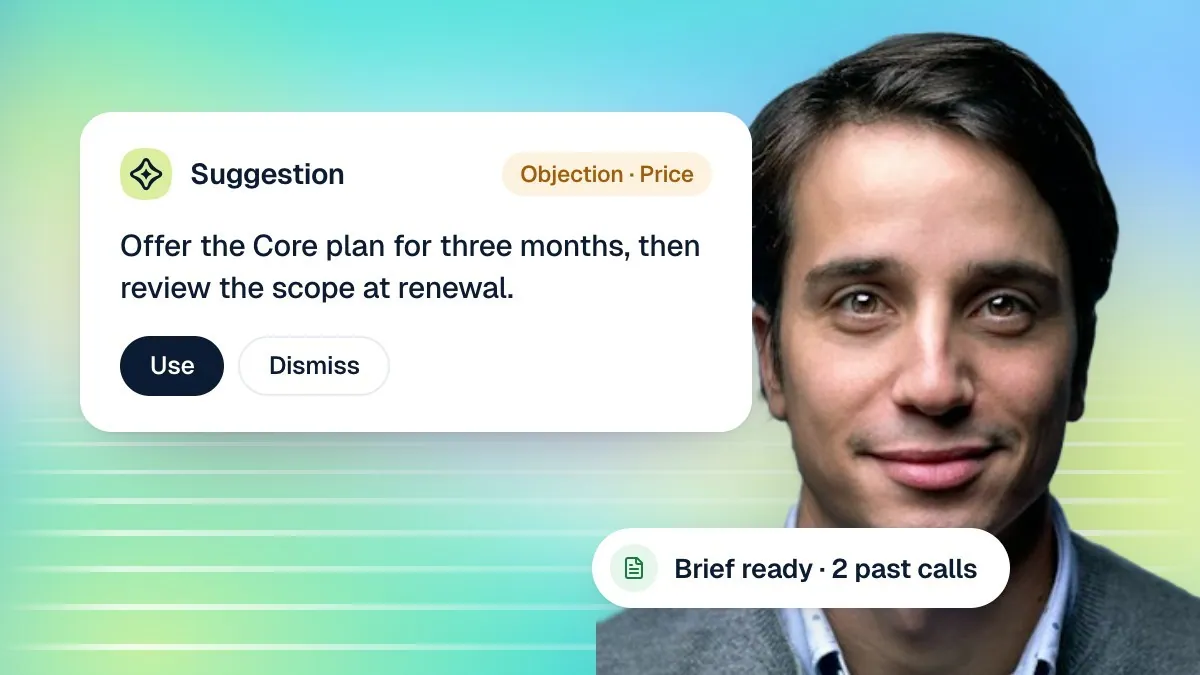
Most meeting notes fail in one of two ways. Either nobody writes them, so the only record of what was agreed lives in one person's memory, or someone writes three rushed lines right after the call that miss half of what mattered by the time anyone reads them again. Cypher N, the note taker in your Cypher LM dashboard, is built to avoid both: it writes from the whole transcript, every time, whether that transcript came from a phone call your AI agent took or a meeting it sat in on.
Every call your agents take already gets a recap — a summary, the key details a caller gave, and a drafted follow-up, found in Calls → Recaps. For meetings, Cypher N goes further: it can join a Google Meet as a guest, be invited the way you would invite a person, or record directly in the dashboard, and it writes detailed notes covering the overview, who attended, what was discussed topic by topic, the action items, and the next steps — never a three-line summary standing in for an hour of conversation.
This guide covers why notes usually fail, what belongs in a good set of them, the different ways to get Cypher N into a meeting, how to read and share what it writes, how to turn action items into follow-ups that are actually sent, and a short weekly routine that keeps the whole system from quietly piling up unread. For the live, in-call side of this same workflow — briefs and suggestions while you are still talking — see The meeting copilot playbook with Cypher M.
01
Why notes fail
Notes fail for reasons that have nothing to do with effort. Understanding them is the fastest way to see what a note-taking tool actually needs to solve, rather than assuming the problem is that people simply need to try harder.
The three-line summary problem
A note taken in the last five minutes of a meeting, from memory, captures whatever the writer happened to remember, which is usually the first and last few minutes and whatever felt most dramatic in between. The quiet agreement reached twenty minutes in — the one that actually matters six weeks later — is gone. Cypher N avoids this by working from the full transcript rather than a person's recollection of it: nothing said during the meeting is excluded from what gets read before the notes are written, and the notes it produces cover the conversation topic by topic rather than compressing it into a handful of lines.
The never-written problem
The second failure is simpler: nobody writes anything at all, because writing notes competes with actually listening to the person in front of you. Pick up a pen during a difficult client conversation and you either miss what they are saying or write down only the parts easy to capture quickly, which are rarely the parts that matter. This is the problem Cypher N's live capture solves directly — it records while you talk, so writing happens automatically rather than being something you have to remember to do afterward, whether or not anyone on the call types a single word themselves.
The buried-in-someone's-inbox problem
Even good notes fail if they live somewhere only one person checks. A meeting note that stays in a personal notebook, or an email only the person who took it ever reads again, might as well not exist for everyone else who needed the outcome. A new teammate joining a client relationship midway through has no way to catch up if the entire history of that relationship lives in someone else's head or someone else's inbox. Cypher N addresses this by filing notes somewhere shared: in the dashboard under Notes, and — when your Google account is connected — as its own Google Doc per meeting, plus a running "Cypher N — Call notes" document and a "Cypher LM — Call log" spreadsheet for every call, so the record is somewhere a teammate can find it without asking.
The unactioned-action-item problem
Even a perfectly written note is wasted if "we'll send the updated contract by Friday" just sits in a paragraph nobody revisits. A note that is thorough but never looked at again after the meeting has effectively failed at the one job that matters most: making sure the things agreed on actually happen. Cypher N pulls action items out as their own checklist, tied into Automations → Follow-ups, specifically so a commitment made in a meeting does not depend on someone re-reading the whole document to remember it existed.
A two-person recruiting agency
One recruiter runs client calls back to back all morning and has never once gone back to read notes from a call two weeks prior — because until now, there were none worth reading. With Cypher N recording live, each call's notes are waiting in the dashboard by the time the recruiter is on to the next one, action items already pulled out, so a client's "let's revisit in two weeks" does not depend on anyone's memory holding for fourteen days.
A small accounting firm during tax season
An accountant takes a dozen client calls a day for several weeks straight, each one covering slightly different details about a filing. Without notes, the details blur together by the end of the day. With Cypher N capturing every call, each client's specific numbers, deadlines and promises are written down and filed separately, so a question that comes up three weeks later — "did we agree to file an extension for this client?" — has an answer that does not depend on anyone's memory of a particular Tuesday in March.
02
What good notes contain
A finished Cypher N meeting note is built from the full transcript in two passes: one that reads the whole thing and writes the overview, attendees, action items and next steps, and a second, more thorough pass over the conversation in order, section by section, that captures every substantive point, who said it, decisions made, open questions, risks raised, commitments, and the specific numbers and dates mentioned. The two passes are merged into one document, so you get both a fast read and the full detail underneath it, rather than having to choose between brevity and completeness.
The shape of a good note
- Overview — what the meeting was about and what it concluded, in a few sentences.
- Attendees — who was on the call, by name where the transcript names them.
- Topic-by-topic notes — the conversation in the order it happened, not reshuffled into categories that lose the thread of how a point was reached.
- Action items — each with who owns it (you or the caller) and a due date where one was mentioned.
- Next steps — what happens after this meeting, distinct from action items that belong to a specific person.
Call recaps, the lighter-weight version
Every call your AI agents take gets a recap automatically: a summary, key points, the caller's details, and a drafted follow-up, all in Calls → Recaps. This is deliberately lighter than a full meeting note, because a short inbound call rarely needs topic-by-topic coverage — but the same underlying discipline applies: a recap is built from what was actually said, not reconstructed afterward from memory. A recap also gets emailed to the account owner once it is generated, so the summary of an important call does not depend on anyone remembering to go and look for it.
Reading the summary against the detail
A finished note's overview is written for someone with thirty seconds to decide whether to read further; the topic-by-topic section is written for someone who needs to know exactly what was said and by whom. Read the overview first every time, and only go into the full detail when something in it needs confirming, or when you are preparing for a follow-up call and want the exact wording someone used rather than a paraphrase of it.
What Cypher N needs to write well
The single biggest input to a good note is a clean transcript, which mostly comes down to how the meeting was captured, not anything you have to do differently once it is recorded. Beyond that, naming people correctly in the meeting (rather than everyone showing as "Participant 3") carries straight through into who gets credited with which action item, so it is worth a habit of saying your own name if you join a call from a generic account, and asking others on the call to do the same if they have not.
Why length is not capped at a handful of lines
A meeting that runs an hour and a half produces a correspondingly detailed note, not a summary artificially squeezed to fit a fixed length. The whole transcript is read either way — up to several thousand lines of conversation — so a long, wide-ranging meeting with several distinct topics gets a note that reflects that breadth rather than collapsing everything into one paragraph that loses the shape of the conversation.
| Meeting type | What to capture |
|---|---|
| Sales discovery call | What the prospect wants, their timeline, any objections raised, next step agreed |
| Client status update | Decisions made, open questions, who owns each action item, next meeting date |
| Support escalation | What went wrong, what was promised, any compensation agreed, follow-up owner |
| Internal planning meeting | Decisions, who owns what, dates committed to, anything flagged as a risk |
What to look for in a finished note before you rely on it
- The overview actually matches what the meeting concluded
- Every attendee is named, not left as "a participant"
- Action items each have an owner — you or the caller
- Any number, date or promise mentioned is captured, not paraphrased away
- Next steps are distinct from action items and make sense on their own
03
Getting the note taker into meetings
Cypher N — shown in meetings as Cypher N Cypher N — can join a Google Meet three different ways, and which one fits depends on whether the meeting already exists on your calendar.
From Notes, for a meeting happening now or about to start
Go to Notes → New note and choose Send the note taker to a Google Meet, then paste the meeting's link. The note taker asks to join; let it into the meeting's waiting room the way you would admit any guest, and it records from that point. This is the option to reach for when a meeting was not planned ahead of time, or when you only decide partway through your day that this particular call is worth a full note.
From the calendar, for a meeting already booked
If the meeting is already sitting on your Cypher LM dashboard calendar — booked through Cypher S or added by hand — open the event and use Invite note taker. This is built specifically for accounts that have Cypher N but not Cypher M — if a booking already has Cypher M on it, Cypher M takes the notes itself and nothing extra needs inviting. The note taker joins automatically around the meeting's start time; nobody has to remember to send a link in the moment, which matters most for meetings booked days in advance where the habit of remembering tends to slip.
By inviting its email address, like inviting a person
Where your workspace has the note taker's own calendar set up, you can invite it to any calendar event exactly as you would invite a colleague — by adding its email as an attendee. It reads invitations addressed to an account owner or a team member's login email, picks up the meeting from your calendar, and joins automatically near the start time. A cancelled or rescheduled event is respected the same way it would be for a person. This option depends on your workspace's note-taker account being configured; where it has not been set up, use one of the two options above instead.
Recording without a Google Meet at all
Not every meeting happens on video. From Notes → New note, choose Record on this device to capture a meeting with your microphone, by sharing a Meet tab if the call is actually happening in a browser, or by uploading a recording afterward. This covers an in-person meeting, a phone call on speaker, or a recording from a device Cypher N never attended directly. Only one capture method runs at a time per note, so starting the microphone stops a Meet-tab share and vice versa — pick the one that actually matches the meeting in front of you.
What your plan determines
An account with Cypher N but not Cypher M can still record and get full meeting notes — just without live suggestions during the call. An account without Cypher N at all still gets the transcript from a call, but not the summary, key points or notes that Cypher N writes on top of it; the call log shows what was said, not what it meant.
A common mix-up to avoid
Teams that have both Cypher M and Cypher N sometimes try to invite the note taker separately on top of a Cypher M session, assuming they need both. They do not: a single meeting only ever needs one bot in the room, and Cypher LM handles the choice automatically — if a booking already has Cypher M on it, only Cypher M joins, because it already produces the same notes Cypher N would have written.
Admitting the note taker from a waiting room
Picking the right way in
- Meeting is already on the calendar → Invite note taker from the event
- Meeting just came up, link in hand → Notes → New note → send to the Meet link
- Workspace has the note taker's own calendar set up → invite its email like a person
- Not a video call at all → Record on this device (mic, tab share, or upload)
Put this guide to work
Build it in your own account
Start a 7-day free trial with every Cypher LM product included, or book a demo and we will walk you through it on a live call.
04
Reading and sharing notes
Finished notes live in two places in the dashboard: Notes → Calls lists every call your agents took, each opening a drawer with the summary, key points and caller details Cypher N wrote; Notes → Meeting notes lists every meeting, each opening its own Google Doc when Google is connected, or the note directly in the dashboard when it is not.
Where notes end up with Google connected
When Google Docs or Sheets is connected with the right access, three things happen automatically. Each individual meeting is saved as its own Google Doc, linked from the Meeting notes list so a click opens it directly in Drive. Every call also gets a dated section appended to a running document called "Cypher N — Call notes", so there is one place to search across many calls without opening each one separately. And every call is logged as a row in a spreadsheet called "Cypher LM — Call log", alongside bookings and payments, which is useful for anyone who would rather work from a spreadsheet than click through individual notes.
Where notes end up without Google connected
Without Google connected, notes stay in the dashboard — fully written, fully readable, just without a Doc or Sheet copy sitting in your Drive. If you are relying on notes being easy to search or share outside the dashboard, connecting Google is worth doing early rather than after the fact, since nothing already written retroactively gets filed once you connect; only calls and meetings from after the connection is made get a Doc or Sheet row.
Sharing a note with someone who was not on the call
Open the meeting from Notes → Meeting notes: if it has a Google Doc, share that link the way you would share any Drive document. If it does not, use Export (.md) on the note's own page to download it as a plain text file you can send by email or drop into whatever your team already uses to track projects.
Why a Doc per meeting and one shared document for calls
It is worth understanding why Cypher N files these two differently. A meeting tends to be a single, self-contained event worth its own document — easy to share on its own with whoever was in the room. A phone call is usually one of many with the same contact, so appending each one as a dated section to a single running "Cypher N — Call notes" document makes it far easier to scroll through a relationship's history in one place rather than opening a dozen separate files for a dozen separate calls.
Exporting and deleting
Export turns a note into a Markdown file, which keeps the structure (headings, action items, attendee list) readable in plain text. Deleting a note removes its transcript, summary and follow-ups for good and, where it had a filed Google Doc, deletes that document from Drive too — treat delete as permanent, not an archive, since there is no way to recover a deleted note afterward.
A small accounting firm
A client asks for a written recap of what was discussed on a call three weeks ago, to share with their own business partner. Rather than reconstructing it from memory, the firm opens the call's note in the dashboard, exports it to Markdown, and emails it over within a minute — a request that would otherwise have meant replaying the call from memory or admitting nothing was written down.
Making a note findable for someone else later
- Google connected, so it has a Doc link rather than living only in the dashboard
- Title is specific enough to recognise six weeks from now, not just "Meeting"
- Shared directly with anyone who needs it rather than left for them to search for
- Exported to Markdown if it needs to live somewhere outside Google entirely
05
Turning action items into follow-ups that get sent
Action items pulled from a note or call recap are not just a checklist sitting on that one record — they also appear in Automations → Follow-ups, a single list across every call and meeting, so nothing has to be chased down one note at a time.
Yours versus theirs
Each follow-up is labelled by who owns it. Items where you or your team made the commitment ("we'll send the contract by Friday") are yours; items where the customer promised something ("they'll confirm by end of week") are labelled as theirs. Yours land in your own daily digest email as a reminder; theirs can be sent to the customer directly as a reminder, with a Send reminder button, once you decide it is worth nudging them. A follow-up that is overdue is flagged distinctly in the list, so it is easy to triage at a glance rather than having to check each due date individually.
Writing a follow-up email worth sending
A recap's drafted follow-up already greets the caller by name, thanks them for the call, restates what was discussed, and lists the key details that came up, closing with a sign-off using your business name — open Calls → Recaps to see the draft next to its summary. Edit the subject and body directly in the recap card; edits are saved as you make them, so the draft stays ready to send without starting over each time. Press Send email to send it from the dashboard (it goes from your connected Gmail where available, or from the platform's sender with your address as the reply-to), or use the Copy, mail and WhatsApp shortcuts to send it from wherever you actually send messages from.
Follow-up email template
A customer-owed reminder
Marking things done, and reopening them
Toggle a follow-up to Done once it is actually handled, either from the Follow-ups list or from the action-item checklist on the original note — the two stay in step, so ticking one updates the other. If something gets marked done too early, Reopen it; nothing is lost by flipping it back, and it moves straight back into the open list where it can be tracked again.
Resending without being pushy
A reminder sent to a customer has a short cooldown before it can be sent again, which exists to stop an accidental double-send rather than to discourage a genuine follow-up — if a few days pass and there is still no reply, sending again is a normal part of running a business, not an imposition. Space reminders out by the kind of promise involved: a signature needed within the week deserves a reminder sooner than a loosely timed "sometime next quarter" commitment.
When there is no email to send to
Not every caller leaves an email address, especially on an inbound phone call where nobody thought to ask for one. In that case, a customer-owed follow-up has no Send reminder button to press, and the list shows plainly that there is nothing to send it to. Treat this as a prompt for your team's call habits rather than a dead end: asking for an email address on calls where a follow-up is likely means the next commitment made in a similar conversation actually has somewhere to go.
Keeping the list from becoming noise
A Follow-ups list that fills with items nobody will ever act on — vague next steps, action items from calls that never went anywhere — stops being useful, because it becomes easier to skim past the genuine ones. Mark anything clearly irrelevant as done rather than leaving it to accumulate, and treat a bloated list as a sign to revisit how action items are being phrased at the note-taking stage, not just a cleanup chore to repeat every week.
Before sending a follow-up
- Caller's name and business name are both correct in the draft
- The restated summary actually matches what was discussed
- Key details listed are ones the caller will recognise, not internal jargon
- Nothing is promised in the email that was not actually agreed on the call
06
A weekly review routine, and what to do next
The parts of Cypher N covered so far — notes, recaps, follow-ups — only pay off if someone actually looks at them on a schedule. A short weekly routine is enough to keep the whole system from quietly backing up, the same way a well-kept inbox needs a recurring pass rather than constant vigilance.
A simple weekly routine
Pick one fixed time each week — Monday morning or Friday afternoon both work — and run through the same four steps. It takes under fifteen minutes once it is a habit, and it is the single most valuable thing a manager can do with everything Cypher N has already written during the week.
- Open Automations → Follow-ups, filtered to Open. Anything overdue gets sent or marked done today, not left for next week.
- Scan Notes → Meeting notes for anything without action items. A meeting with no action items is either genuinely conclusive or a sign the note taker missed something worth a manual edit.
- Check Calls → Recaps for calls with no summary. A missing summary usually means a call had no clear transcript — worth knowing if it is happening often, since it may point to a capture problem rather than a one-off.
- Re-read one note from earlier in the week. Not to fix anything, just to confirm the notes are actually matching what you remember from being on the call — a quick trust check on the system itself.
Why a fixed time matters more than the exact steps
The specific four steps above matter less than the discipline of a fixed, recurring time slot. A review that happens "whenever there's a spare moment" tends to happen rarely, and the backlog it was meant to prevent builds up exactly in the gaps. Put it on the calendar the same way you would a recurring client meeting, and treat skipping it as the same kind of miss as skipping a commitment to a customer.
Weekly review, five minutes each
- Open follow-ups cleared or reassigned, nothing left overdue
- Any meeting notes missing action items looked at and fixed if needed
- Calls with no summary spot-checked for a transcript problem
- One note re-read against memory as a quality check
- Anything that keeps coming up flagged as a new playbook for Cypher M
Meeting hygiene checklist
Meeting hygiene, every meeting
- Note taker invited or started before the meeting begins, not scrambled for after
- Attendees said their names early, so the transcript labels them correctly
- Told the room a note taker is present, the same courtesy as any recording
- Note reviewed within a day, while it is still easy to catch anything off
- Action items assigned an owner, not left ownerless in the list
What good looks like after a month
A team running this routine for a month typically notices three things: follow-ups stop quietly expiring unanswered, meeting notes get referenced in later conversations rather than re-explained from scratch, and new team members ramp up faster because a real, searchable record of past conversations exists for them to read instead of asking a colleague to remember.
Recap
Cypher N exists to remove the two failure modes that make meeting notes unreliable everywhere else: nobody writing them, and whoever does write them missing most of what was said. Every call gets a recap automatically; a note taker can join or record any meeting through four different paths depending on how that meeting came about; and every action item feeds a list of follow-ups that is meant to be cleared, not just accumulated.
- Pick one way to get the note taker into your next meeting and use it without having to think about which one.
- Connect Google Docs and Sheets if you have not, so notes are filed somewhere easy to search and share.
- Clear Automations → Follow-ups today rather than letting it build up.
- Set a weekly time to run the four-step review above.
- Read The meeting copilot playbook with Cypher M next if your team is also fielding live calls and wants suggestions while talking, not just notes afterward.